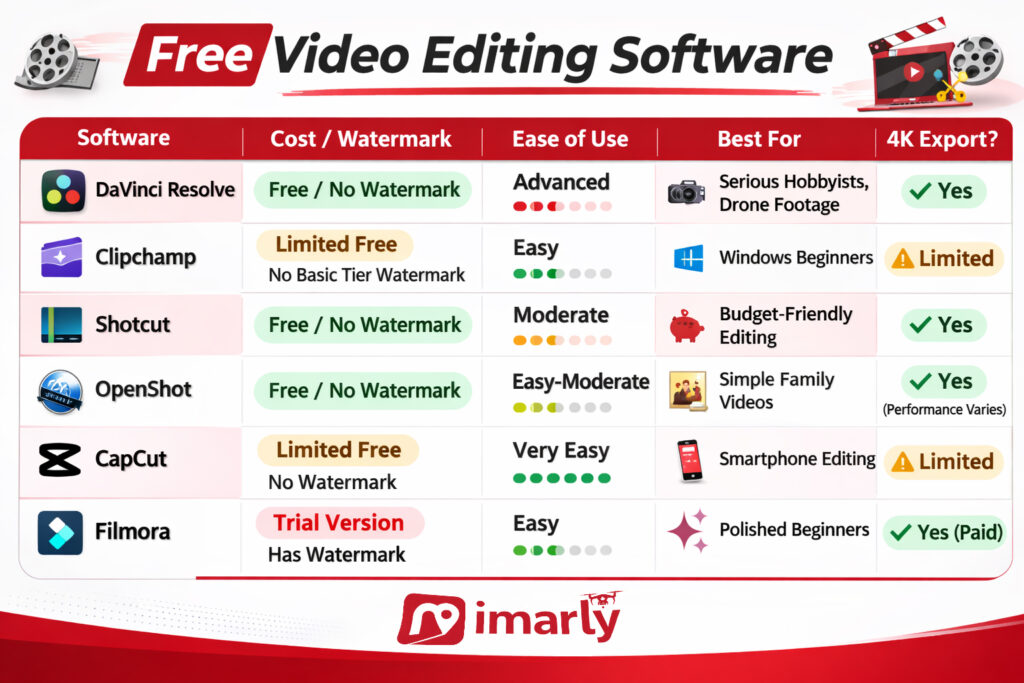
Finding the best free video editing software can be tricky; not all free options are truly free. I’ve reviewed 6 popular programs and created a comparison guide that brings everything together in one place.
⚠️ Important Download Warning
Have you ever worried that the software you download might not be safe? Video editing tools are among the most impersonated online. These impostors copy trusted logos, duplicate entire sites, and even purchase legitimate ads to lure you in.
Your protection checklist:
Use official links.
Never search for free downloads and click the first link; this is a common way to get tricked by malicious sites.
Stay away from cracked or unlocked versions.
If a website address appears to look slightly different, stop!
If nothing else, your takeaway from this should be “Your Safety Matters” more than free software.
Why Free Is Not Always Really Free
There are three main “free” models:
Truly Free (Open-Source or Strategic Free)
Shotcut
OpenShot
DaVinci Resolve
Freemium (Free with Limits)
Clipchamp
CapCut
Filmora
Free Trial (Temporary)
Many professional tools
Free often means:
Watermarks
Export limits
Feature restrictions
Subscription nudges
It can be confusing.
And confusion is where scams thrive.
How to Choose the Right One
If you want:
Professional-level editing and no watermark → DaVinci Resolve
Simple Windows editing → Clipchamp
Completely free without corporate accounts → Shotcut or OpenShot
Phone editing and social media templates → CapCut
Polished and easy but willing to pay → Filmora
There is no “best” editor.
There is only the right one for your comfort level and computer.
CapCut video editor review conversations have exploded in recent years because this free editing app makes it incredibly easy to create polished videos on a smartphone. With built-in templates, music, and effects, CapCut feels modern and powerful — especially for social media.
But when something is free and wildly popular, it’s worth slowing down and looking carefully.
⚠️ Important Download Safety Warning
Because CapCut is so popular, there are many fake download websites pretending to offer it.
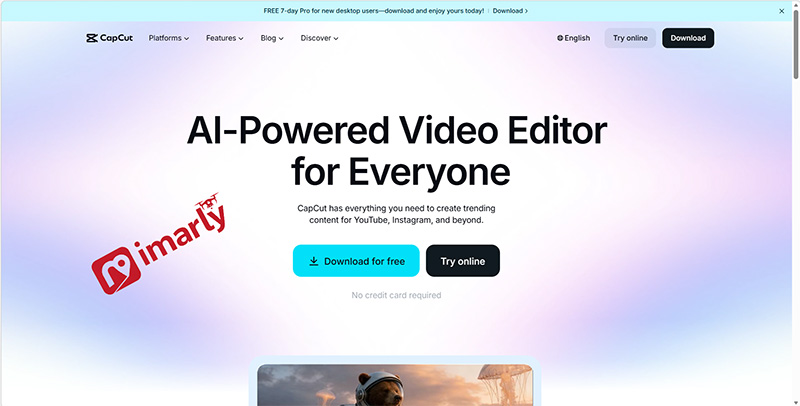
To stay safe, I always recommend downloading CapCut only from the official website or directly through the Apple App Store or Google Play Store. Never trust random “APK” sites or pop-up ads that promise unlocked premium versions—those are almost always scams.
If the site name looks slightly different, stop immediately.
I personally verify all links before sharing them.
What Is CapCut Video Editor?
CapCut is a free video editing app, and it’s actually owned by ByteDance—the same company behind TikTok. That means it’s designed with social media in mind from the very start. You can use CapCut on your iPhone, Android device, or desktop, so it’s super accessible no matter which platform you prefer.
One thing I notice is that, unlike editors like OpenShot or Shotcut, CapCut is really built around templates. This makes the whole editing process much faster and more approachable, especially if you’re new to video editing.
Personally, I love how easy it is to pick a template, drop in your video clips, and then just add automatic captions or music. You can export your finished video really quickly, and the results look modern and polished.
Is CapCut Video Editor Safe to Download?
Here’s where we need to think clearly.
CapCut itself, when downloaded from official app stores or the official website, is legitimate.
However:
Some features require an account sign-in.
It collects usage data (like most modern apps)
Some features require internet access.
CapCut isn’t dangerous, but it’s important to remember it’s a cloud-connected app, so if you’re like me and sometimes feel weird about creating accounts or managing privacy settings, that’s totally normal—it can definitely feel a little overwhelming. Just a heads-up: those “CapCut Pro unlocked” downloads you see on sketchy sites are never safe, so I always stick to the official stores and recommend you do the same.
Pros and Cons of CapCut Video Editor
Let’s simplify.
✅ Pros
What I really like about CapCut is that it’s super easy for beginners, works great on smartphones, and comes with built-in templates and music. The automatic captions, fast export, and modern interface are all huge pluses for me, too.
❌ Cons
On the downside, you’ll need an account to unlock a lot of features, and like most apps these days, CapCut does collect some of your data. There are also some premium features that require payment, and you’ll need an internet connection to get the full experience. Plus, if you’re hoping for a super powerful desktop editor, CapCut doesn’t quite measure up to the pro options out there.
If your goal is quick social media content, CapCut shines.
If your goal is cinematic drone films with deep color grading, it’s limited.
What Devices Does CapCut Video Editor Work On?
CapCut works on:
iPhone
Android
Windows desktop
Mac desktop
It performs best on smartphones and tablets.
The desktop version is improving but still focuses heavily on social content.
Is CapCut Really Free?
Yes — but partially.
The basic editing tools are free.
However:
Some templates require payment.
Some advanced features require a subscription.
Cloud storage may have limits.
For casual users, the free version is enough.
But always read before upgrading.
Who Should Use CapCut?
Honestly, I think CapCut is best if you’re comfortable with your smartphone and like sharing on social media, or if you want to whip up quick vacation highlight reels and fun TikTok or Instagram videos.
To be real, CapCut just isn’t going to be your thing if working offline is a must, not a fan of signing up for new accounts, or you’re hoping to dive deep into advanced cinematic editing. It’s made for quick, social-friendly edits, not for folks who want a ton of technical control or pro-level features.
My Honest Recommendation
CapCut dramatically lowers the barrier to editing.
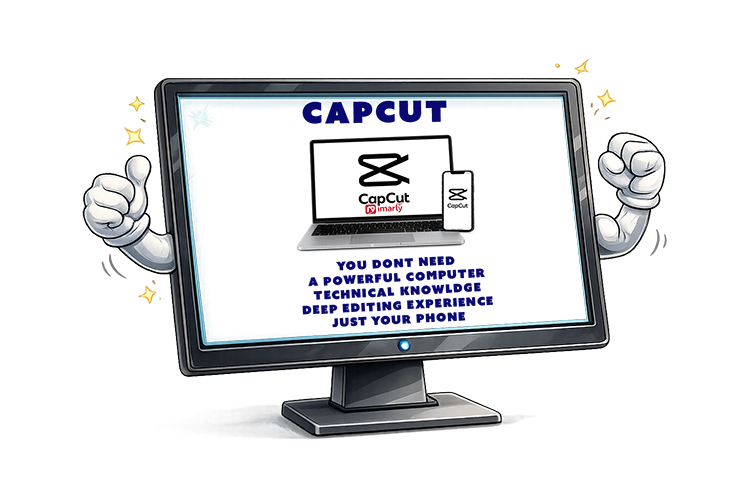
You don’t need:
A powerful computer
Technical knowledge
Deep editing experience
You just need your phone.
For many, that’s actually a huge advantage.
But always remember:
Popularity attracts fake download sites.
Stick to official stores only.
In our final post in this series, we’ll look at Filmora — a polished, beginner-friendly editor that markets itself as free… but has a few important details you should know before installing.
📊 Not Sure Which Editor Is Right for You?
This review is part of my complete guide to Free Video Editing Software.
If you’d like to see all six programs compared side-by-side — including what’s truly free and what has limits — visit the full comparison guide here: