
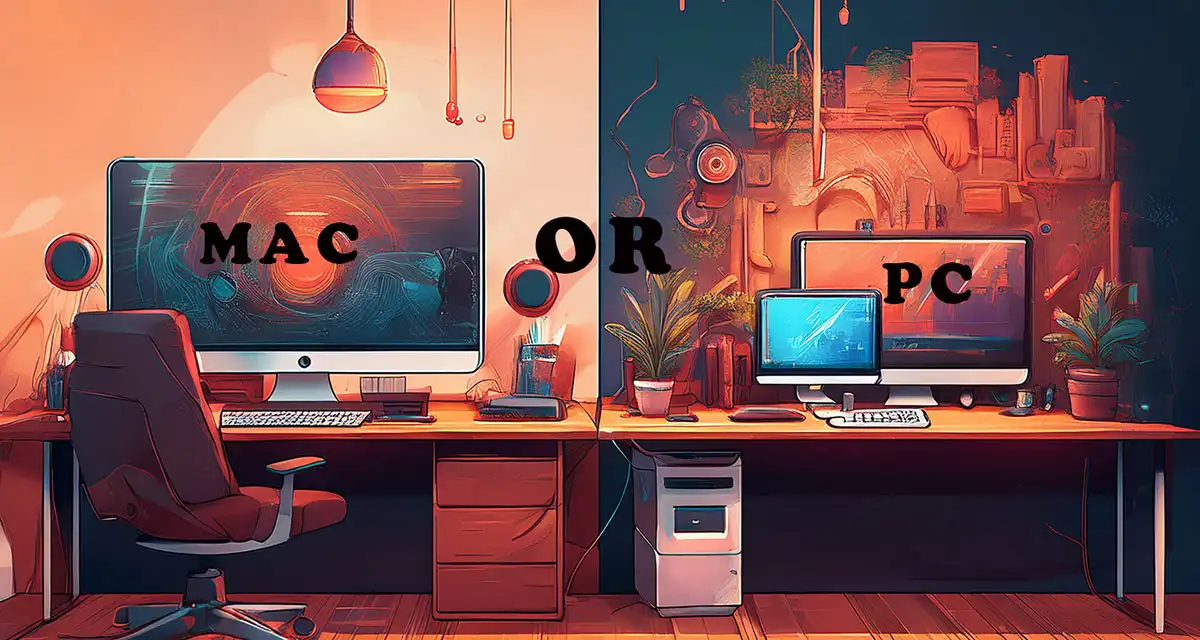
4K video editing needs the proper equipment to achieve the full benefits of 4K video and if you’re trying to decide between a Mac and a PC for your 4K video editing setup, you’re not alone. With so many options out there—from Apple’s powerful M-series chips to high-end PC builds—figuring out what works best for your workflow can feel overwhelming.
In this post, I’ll walk you through current system requirements, pros and cons, and real-world performance so you can make an informed choice that fits your creative needs.
4K Video Editing Requirements on a Mac
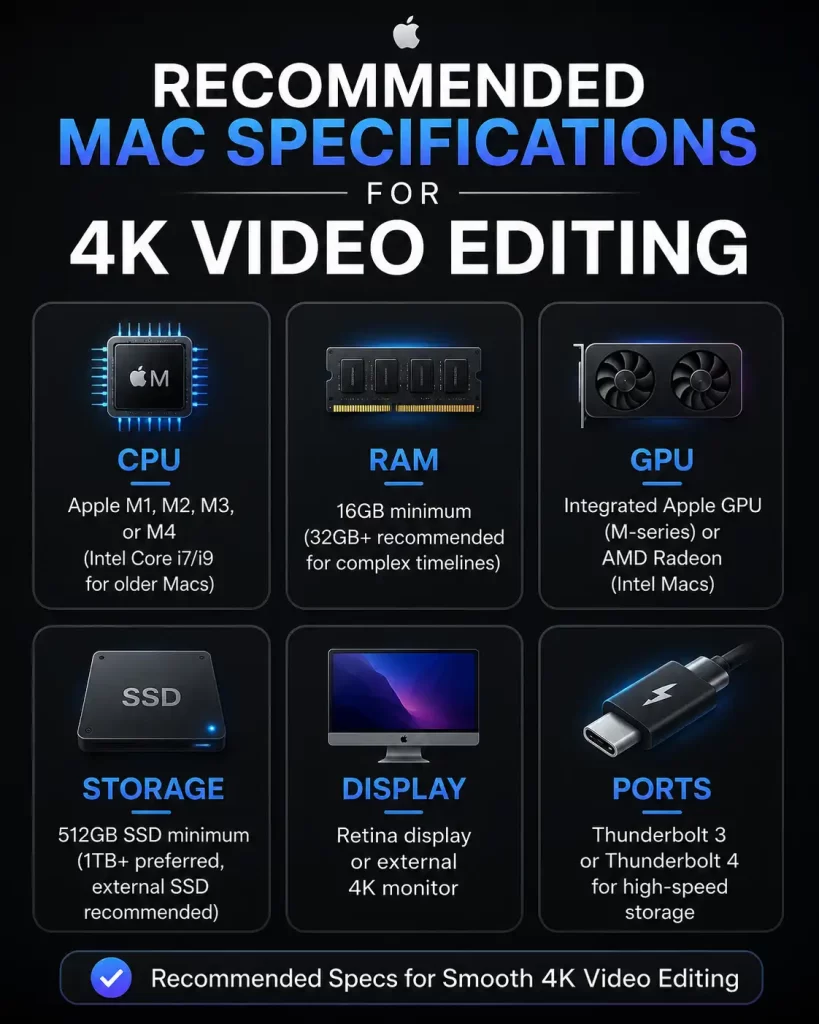
What specs are needed to edit 4K on a Mac? Here are the most recommended options worth considering if you are planning on using Final Cut Pro or Adobe Premiere Pro for a smooth editing experience:
What About The MacBook Air For 4K Video Editing?
A MacBook Air can handle 4K video editing. Still, there are some recommendations, the most important being to use proxy files or optimized media for better performance on lightweight models. Also recommended are the M1, M2 and M5 versions.
Windows 4K Video Editing
Windows users have access to more customization and power per dollar. Building or buying a system tailored for 4K may be less of a financial burden. Let’s go over what to look for:
Insert recommended pc spec for 4K editing.
Can I afford a PC for 4K editing?
Custom builds under $1,200 may outperform Macs at the same price. That performance shines through when paired with DaVinci Resolve or Adobe Premiere.
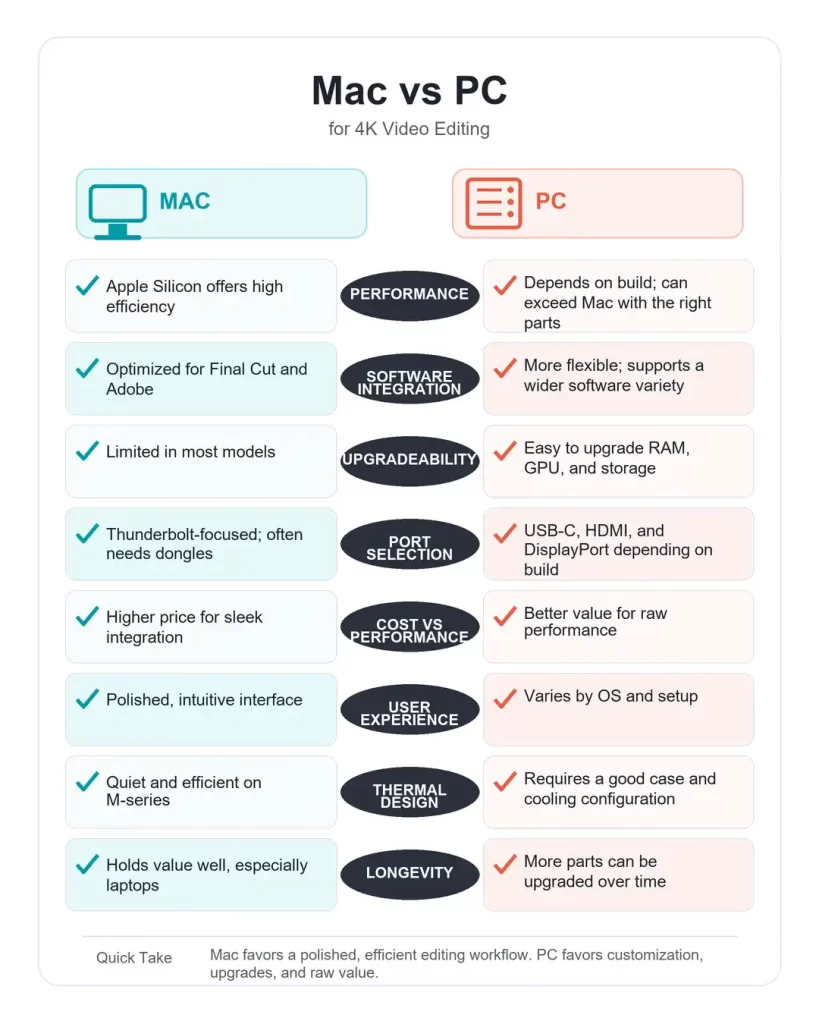
Pros and cons of editing 4K on MAC
Pros:
- Seamless experience with Final Cut Pro (Mac exclusive)
- Excellent thermal management with Apple Silicon
- Great battery life on MacBooks
- Fewer driver issues; less troubleshooting
Cons:
- Higher price for similar performance specs
- Limited upgrade options (especially post-purchase)
- Fewer ports; external drives often require adapters
Pros and cons Editing 4K on PC
Pros:
- Greater customization and future-proofing
- Better cost-to-performance ratio
- More choices in software and hardware
- Easy to repair or upgrade over time
Cons:
- Compatibility issues with drivers or software
- Requires tech knowledge or IT support
- More variation in build quality and noise levels
Which One Should You Choose?

I’ve been a tech nerd for over 50 years, and the majority of my experience has been with PCs. While I do know how to use a Mac and have explored Apple products, I recognize there would be a learning curve if I decided to fully switch.
At one point, I even considered getting a Mac just to experience it first-hand, but I couldn’t justify the cost of a new system just for the sake of trying something new, especially when I already have the skills and knowledge to accomplish my goals on a PC.
I do wish I had experimented with Mac when I was younger, but I’m still genuinely grateful for the depth of experience I’ve gained with Windows systems.
Trying to choose between a Mac and PC for video editing?
- If you value simplicity, reliability, and a streamlined creative experience, a Mac with Apple Silicon is a fantastic (though pricier) choice.
- If you’re more into custom builds, hardware upgrades, or want more raw power per dollar, a PC might be your ideal workstation—especially for Adobe or DaVinci users.
Whichever direction you go, make sure your machine meets the minimum requirements to avoid frustrating render times and playback issues.
Of course, even the best computer is only part of the equation. Once you’ve chosen the right Mac or PC, the next step is finding video editing software that fits your experience level and budget.
If you’re not sure where to start, I’ve personally reviewed several popular free video editors, compared their features, and included important download safety tips to help you avoid fake websites and scams.
Be sure to check out my complete guide, Best Free Video Editing Software: A Comparison and Safety Guide, before you download your next editor.