
Author: imarly

  • Shotcut Free Video Editor: A Truly Free Alternative Without Watermarks

    Shotcut Free Video Editor: A Truly Free Alternative Without Watermarks

    This post is part of my complete guide:
    Best Free Video Editing Software – Full Series Overview

    Shotcut free video editor is a completely open-source program that offers powerful editing tools without subscriptions, watermarks, or hidden upgrades. For seniors who want something free but more capable than basic editors, Shotcut may be a strong middle-ground option.

    While Shotcut is free, it may take a little practice to use comfortably.

    Shotcut Free Video Editor download warning

    ⚠️ Important Download Safety Warning

    This is critical.

    Because Shotcut is free and open-source, many third-party websites offer downloads. Some of those sites are safe. Some are not.

    For your protection:

    ✔ Only download from the official Shotcut website
    ✔ Never download from “free software collection” sites
    ✔ Avoid pop-up ads claiming faster versions
    ✔ Double-check the website spelling before clicking

    The only legitimate source is:

    👉 https://shotcut.org

    If the web address is anything different, stop.

    I personally verify every download link before sharing it.

    What Is Shotcut Free Video Editor?

    Shotcut is:

    • 100% free
    • Open-source (built by a global developer community)
    • Available for Windows, Mac, and Linux
    • Not owned by a major corporation

    Unlike Clipchamp, it does not rely on cloud processing.
    Unlike DaVinci Resolve, it does not aim to compete with Hollywood studios.

    It lives somewhere in between.

    When you open Shotcut free video editor, you’ll see:

    • A timeline
    • A preview window
    • Panels you can turn on or off
    • Basic editing tools

    It’s more “toolbox” than “template-based editor.”

    Is Shotcut Free Video Editor Easy to Learn?

    Moderately.

    Shotcut is simpler than DaVinci Resolve.
    But it is less polished than Clipchamp.

    Honestly, Shotcut’s interface does look a little old-school. The buttons are smaller, and the whole layout isn’t as sleek as some newer editors. It might not win any beauty contests, but it gets the job done.

    Underneath that plain look, though, are all the basics you actually need. You can trim your clips, add music, drop in some text, use filters, tweak the color, and export your finished video—no watermarks, no nonsense.

    It doesn’t drown you in Hollywood-level film tools, but it also doesn’t babysit you with step-by-step templates. So yes, there’s a bit of a learning curve. But in my experience, it’s not overwhelming—just give yourself an afternoon to poke around and you’ll get it.

    Pros and Cons of Shotcut Free Video Editor

    Let’s make this very clear.

    ✅ Pros

    • Completely free
    • No watermark
    • No subscription required
    • Works on Windows and Mac
    • Lightweight compared to pro software
    • Good balance of power and simplicity

    ❌ Cons

    • Interface looks dated
    • Fewer built-in templates
    • Fewer “drag-and-drop” guided tools
    • Occasional small glitches depending on the system

    What Computer Do You Need?

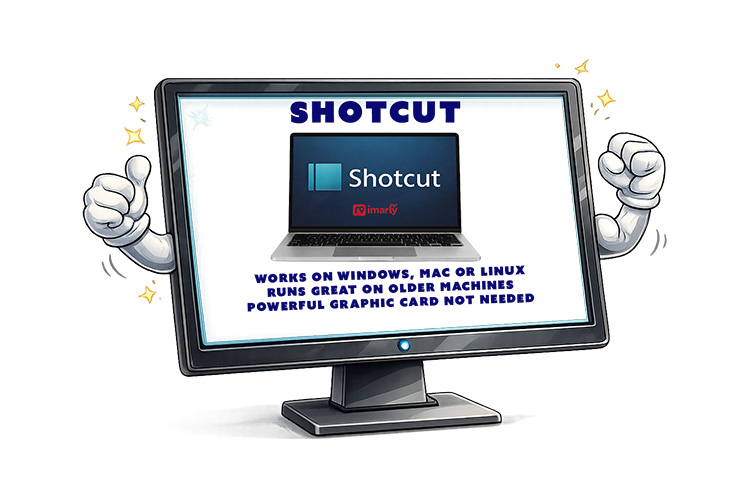
    Shotcut runs on:

    • Windows
    • Mac
    • Linux

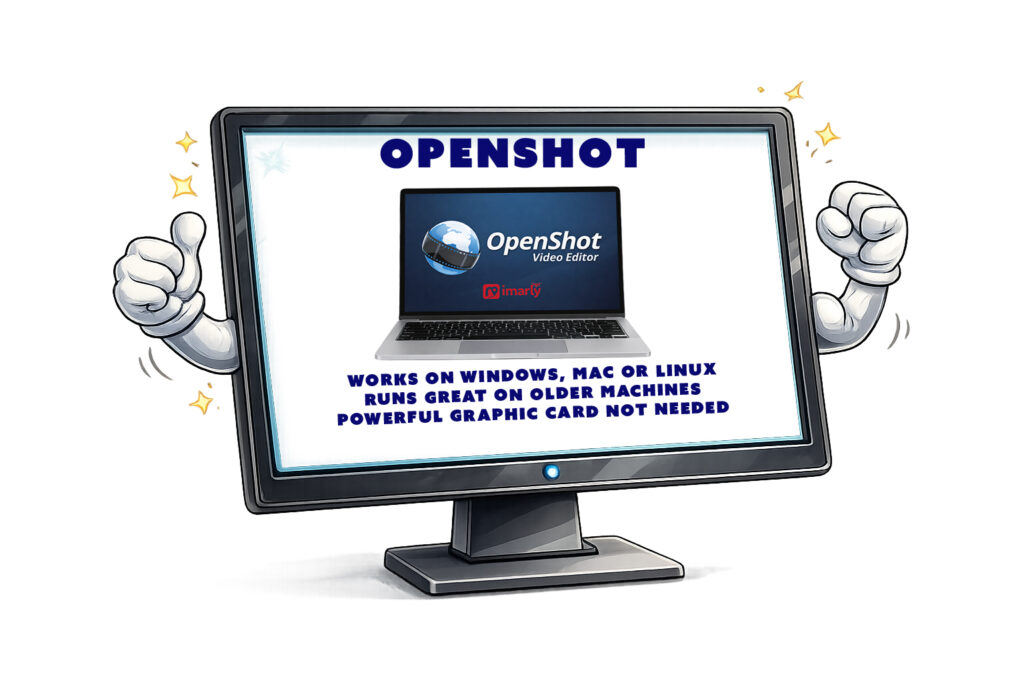
    It works on older machines better than DaVinci Resolve does. You don’t need a powerful graphics card. But more RAM always helps when editing video. If your computer can play HD video smoothly, it will likely handle Shotcut fine. For heavy 4K drone editing, performance may vary.

    • No WaterMark
    • No hidden export limits.
    • No trial period.

    “Free” actually means free.

    It’s supported by community development and donations — not subscriptions.

    That’s refreshing in today’s software world.

    Who Should Use Shotcut?

    Best for:

    Shotcut is great if you want more control than you get with Clipchamp, especially if you hate being locked into subscriptions. It’s a solid pick for editing family videos or if you’re just not quite ready to dive into the deep end with something like DaVinci Resolve.

    Not ideal for:

    Shotcut isn’t the best choice if you’re after flashy templates, instant social media effects, or heavy, Hollywood-style color grading. It’s more about giving you the essentials without the frills—great for getting the job done, but not for those who want everything done for them with a single click.

    My Honest Recommendation

    Shotcut feels like the dependable old pickup truck of video editors.

    It’s not shiny.
    It’s not corporate.
    It doesn’t try to impress you.

    But it works.

    If you want:

    • True free software
    • No watermark
    • No subscription
    • No cloud dependency

    Shotcut deserves serious consideration.

    In my next post, we’ll look at OpenShot — another open-source editor that aims to be even more beginner-friendly.

    📊 Not Sure Which Editor Is Right for You?

    This review is part of my complete guide to Free Video Editing Software.

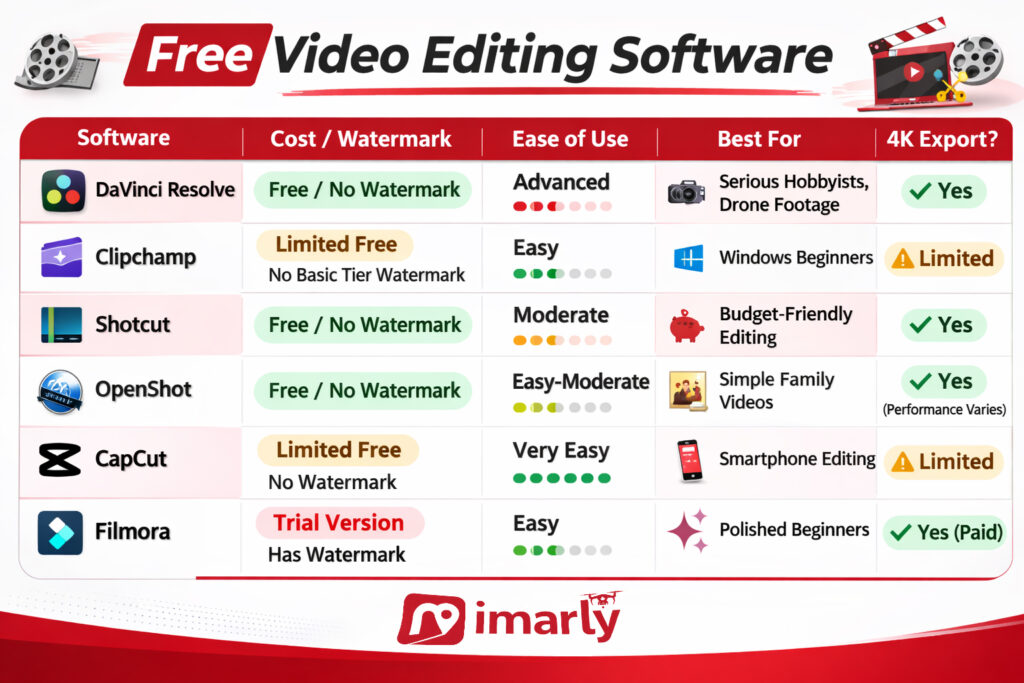
    If you’d like to see all six programs compared side-by-side — including what’s truly free and what has limits — visit the full comparison guide here:

    👉 Free Video Editing Software: Final Comparison and Safety Guide

  • Clipchamp Video Editor for Windows: The Easiest Built-In Option?

    Clipchamp Video Editor for Windows: The Easiest Built-In Option?

    This post is part of my complete guide:
    Best Free Video Editing Software – Full Series Overview

    Clipchamp video editor for Windows is a straightforward choice for beginners, as it is often pre-installed on Windows 11 computers. However, simple does not always mean it will meet every need.

    What Is Clipchamp Video Editor for Windows?

    Clipchamp is Microsoft’s modern, beginner-friendly video editor. It replaced the old Windows Movie Maker style tools and is designed to be:

    • Clean
    • Simple
    • Template-based
    • Cloud connected

    Unlike DaVinci Resolve, Clipchamp is not built for Hollywood-level production. It’s built for everyday users. It runs in your browser or as a lightweight app, making it less demanding on your computer.

    Why Clipchamp video editor for Windows Is Beginner-Friendly

    When you open it, you see:

    • Large buttons
    • Drag-and-drop media areas
    • Pre-made templates
    • Simple trimming tools

    There are no overwhelming color wheels.
    No advanced audio mixers.
    No complicated node systems.

    You can:

    ✔ Import a video
    ✔ Drag it to a timeline
    ✔ Trim the beginning or end
    ✔ Add music
    ✔ Add text
    ✔ Export

    That’s it.

    Clipchamp Video Editor for Windows

    Pros and Cons of Clipchamp video editor for Windows

    Pros and Cons

    ✅ Pros

    Clipchamp is honestly great if you’re just starting out—it’s super beginner-friendly and the interface is clean, so you won’t get lost. A lot of the time, you’ll already have it on your Windows 11 machine, so there’s no huge download to worry about. It’s perfect for basic edits and doesn’t bog down your computer like pro-level software can.

    ❌ Cons

    There are a few downsides though—Clipchamp makes you sign in with a Microsoft account, and some of the cooler features are behind a paywall. Since a lot of its magic happens in the cloud, you’ll need a decent internet connection. If you’re hoping for advanced editing tools or the ability to export in any format you want, you might find yourself wishing for more.

    If your goal is serious color grading or advanced cinematic editing, you may eventually outgrow it.

    But for simple edits? It’s comfortable.

    Is Clipchamp Really Free?

    Yep, Clipchamp is free. You’ll get the basics: simple video editing, exports in the usual (not super high-end) resolutions, and a handful of stock media—not a massive library. It’s enough to get you started, but you will have to pay if you want more premium features or a deep pool of stock footage.

    What Computer Do You Need?

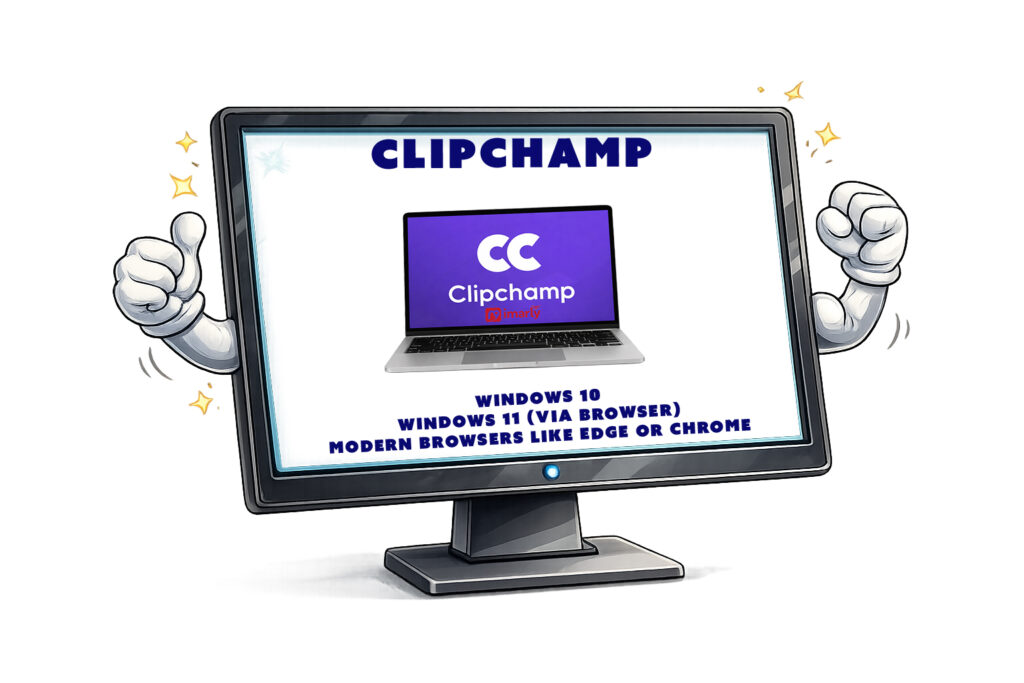
    Clipchamp works best on:

    • Windows 11
    • Windows 10 (via browser)
    • Modern browsers like Edge or Chrome

    It does not have a full Mac desktop version, though Mac users can use it through a browser.

    Because it relies partly on cloud processing, it doesn’t require as much hardware as DaVinci Resolve does.

    That makes it appealing for older computers.

    So, who is the best fit for Clipchamp video editor for Windows?

    Clipchamp is a sweet spot for beginners, people who just want to edit a quick vacation video, or anyone making something for social media—especially if you hate complicated interfaces or you’re working on an older computer. On the flip side, if you’re after advanced color correction, professional-level editing, or huge 4K drone projects, this probably isn’t the tool for you.

    My Honest Recommendation

    Clipchamp can feel less intimidating than DaVinci, thanks to its lower learning curve.  As a beginner, you can get comfortable with timelines and trimming. It allows beginners to get comfortable with timelines and trimming without experiencing overwhelm.

    Next, we’ll explore Shotcut—a completely free open-source option that sits somewhere between simple and serious, supplying a different balance of features.

    📊 Not Sure Which Editor Is Right for You?

    This review is part of my complete guide to Free Video Editing Software.

    If you’d like to see all six programs compared side-by-side — including what’s truly free and what has limits — visit the full comparison guide here:

    👉 Free Video Editing Software: Final Comparison and Safety Guide

  • DaVinci Resolve Free Editor: Is It Too Powerful for Beginners?

    DaVinci Resolve Free Editor: Is It Too Powerful for Beginners?

    This post is part of my complete guide:
    Best Free Video Editing Software – Full Series Overview

    DaVinci Resolve free video editor is one of the most powerful video editing programs available today — and surprisingly, the basic version costs absolutely nothing. But with that power comes complexity, and many beginners (especially seniors) wonder if it’s simply too much.

    In this post, I’ll break it down clearly and calmly.

    ⚠️ Important Download Safety Warning

    Before we go any further, this matters.

    There are many websites that look like the official DaVinci Resolve site — but they are not. Some include extra bundled software, fake installers, or even malware.

    For your protection:

    ✔ Only download from the official company website
    ✔ Never click “Download” from pop-up ads
    ✔ Refrain from third-party “free software” sites
    ✔ If the website name looks slightly different, stop

    I personally test every link prior to sharing it.

    The only legitimate source for DaVinci Resolve is the official website of Blackmagic Design:

    👉 https://www.blackmagicdesign.com/products/davinciresolve

    If the URL is not that exact address, do not download.

    What Is DaVinci Resolve Free Video Editor?

    DaVinci Resolve is professional-grade editing software used in real Hollywood productions. That’s not marketing hype — it’s actually used for feature films, TV shows, and streaming content.

    It combines:

    • Video editing
    • Color correction (advanced color grading)
    • Audio editing
    • Special effects

    All in one program.

    The free version is incredibly powerful.

    Is DaVinci Resolve Good for Seniors?

    This is where we need to be honest.

    DaVinci Resolve is powerful — but it is not the easiest program for beginners.

    When you first open it, you’ll see multiple panels, buttons, timelines, color wheels, and toolbars. It can feel overwhelming.

    If you are:

    • Willing to learn step-by-step
    • Comfortable watching a few tutorials
    • Using a reasonably strong computer
    • Editing drone footage in 4K

    Think of it like buying a professional camera instead of a disposable one. It may take longer to learn — but you won’t outgrow it.

    For someone who wants:

    • Simple trimming
    • Adding music
    • Basic cuts only

    It may feel like driving a spaceship to the grocery store.

    DaVinci Resolve free video editor

    Pros and Cons of DaVinci Resolve Free Video Editor

    DaVinci Resolve has a lot to like. It’s really free—no watermarks, no sneaky charges—and you get tons of powerful features, including some awesome color correction tools. You can use it on Windows or Mac, and it’s especially handy if you work with drone videos. Plus, there’s no subscription you have to worry about.

    There are a couple of things to keep in mind. Learning how to use DaVinci Resolve takes some time, and it really helps to have a good computer, especially if you want to work with 4K videos. The screen can look busy at first, and the initial download is large. If your computer is on the older side or doesn’t have much memory, it might run a little slow.

    What Computer Do You Need?

    Minimum suggestions:

    • At least 16GB RAM recommended for smooth editing
    • A solid-state drive (SSD) helps.
    • A decent graphics card improves performance.
    • Works on Windows and Mac

    If your computer struggles to play 4K video smoothly, it could struggle editing it.

    Is DaVinci Resolve Really Free?

    Great news, Davinci Resolve is free. You will not find any tricks or sneaky charges. In the free version, you get all the basics: editing, color correction, audio mixing, and plenty of effects. In the Studio version, you will find some fancy stuff. I am sure you will find the free version is more than enough.

    Who Should Use DaVinci Resolve?

    Best for:

    ✔ Drone hobbyists
    ✔ People serious about learning editing
    ✔ Anyone wanting professional-level control
    ✔ Those editing 4K footage

    Not ideal for:

    ✘ Someone who just wants to trim vacation clips quickly
    ✘ Someone uncomfortable with new interfaces
    ✘ Very old computers

    My Honest Recommendation

    If you’re patient and curious, DaVinci Resolve can be an incredible tool.

    If you want fast and simple, we’ll be covering easier options next in this series — including Clipchamp, Shotcut, OpenShot, CapCut, and Filmora.

    📊 Not Sure Which Editor Is Right for You?

    This review is part of my complete guide to Free Video Editing Software.

    If you’d like to see all six programs compared side-by-side — including what’s truly free and what has limits — visit the full comparison guide here:

    👉 Free Video Editing Software: Final Comparison and Safety Guide

  • Best Free Video Editing Software: A Safe & Simple 6-Part Guide

    Best Free Video Editing Software: A Safe & Simple 6-Part Guide

    Searching for the best free video editing software can be confusing and risky. With so many seemingly official websites, not all are safe.

    I have personally tested six popular video editing tools and go over, step by step, what works, what doesn’t, and, most importantly, how you can confidently choose and safely download the right one.

    Get expert insights to save time, avoid scams, and choose the perfect tool for you—start with the first review!

    best free video editing software

    If you’re part of my drone community, or if you’ve ever asked:

    • “What’s the easiest free video editor?”
    • “What works on Windows?”
    • “What works on Mac?”
    • “Can I just edit on my phone?”
    • “Is this download safe?”

    This series is for you.

    Over the next six posts, I’ll be breaking down:

    Davinci

    ClipChamp

    Shotcut

    OpenShot

    Capcut

    Filmora

    Each post will cover:

    ✔ What it is
    ✔ Who it’s best for
    ✔ Pros and cons
    ✔ Windows vs Mac compatibility
    ✔ Smartphone options
    ✔ Beginner difficulty level
    ✔ And most importantly — safe download links

    ⚠️ Important Download Safety Warning

    There are many websites that look official but are not. Some copy the design of real software companies and try to trick people into downloading unsafe files.

    For your protection:

    ✔ Only download from the official website
    ✔ Use the direct link provided in this article
    ✔ Never download from pop-up ads
    ✔ If something looks slightly “off,” stop

    Every link in this series will be tested personally before I share it.

    Free video editing software related post:

  • Henderson Nevada Drone Parks

    Henderson Nevada Drone Parks

    Interactive Flight Map & Permit Guide

    Before choosing any park, always check the current approved list directly with the City of Henderson Parks and Recreation Department website. Regulations can change. Henderson, Nevada, Drone-Approved Parks may close temporarily. Events may restrict access.

    You must also:

    • Look for any Temporary Flight Restrictions (TFRs)
    • Determine whether LAANC authorization is required.
    • Confirm current FAA airspace classifications.

    Even if a park appears on the approved list, rely on your instincts when you arrive. If something appears unsafe — heavy crowds, unexpected events, wind conditions, nearby obstacles — do not fly. As the Remote Pilot in Command, responsibility ultimately falls on you. Property damage, injuries, or unsafe operations won’t be blamed on the park list. They’ll be attributed to the pilot who chose to launch.

    Recreational Drone Use – Henderson, Nevada Drone Parks Requirements

    Recreational drone use in Henderson parks is permitted under specific conditions:

    Henderson Nevada Drone Parks

    Commercial Drone Use – Per Event Requirements

    Commercial use includes any drone operation beyond hobby flying. That means paid photography, videography for hire, organized group flights, or flying during special events.

    For each commercial event, you must provide:

    • Approved permit from Henderson Parks and Recreation
    • Certificate of Insurance listing the City of Henderson (240 S. Water St., Henderson, NV 89015) as additionally insured
    • Proof of a valid FAA Part 107 certificate
    • Proof of FAA commercial drone registration
    • Commercial permit fee: $50 per event
    • Questions: (702) 267-5707

    This map is a planning tool. The official website and FAA airspace verification tools are your final authority.

    Fly smart. Fly prepared. And when in doubt — pack it up and come back another day. There will always be another sunrise to capture. 🌅

  • Financial Help for Grandparents Raising Grandchildren

    Financial Help for Grandparents Raising Grandchildren

    Financial Help for Grandparents Raising Grandchildren: Living on a Fixed Income and One Illness Away.

    I never expected to become a full-time parent again. Yet here we are, raising grandchildren on retirement income, Social Security checks, pensions, or limited savings. We stretch every dollar for groceries, school supplies, braces, dance lessons, and birthdays.

    There are no employer benefits.
    No paid sick days.
    No backup plan is built into retirement.

    And sometimes, late at night, one question rises above the rest:

    What happens if I get sick?

    Financial Help for Grandparents Raising Grandchildren

    Financial Help for Grandparents Living on a Fixed Income While Raising a Grandchild

    Raising a child full-time while living on a fixed income is a financial balancing act.

    Retirement income is predictable—but expenses are not.

    My granddaughter is growing. Her shoes will not grow with her. School activities and medical bills appear without warning, and inflation quietly erodes what used to be “enough.”

    When you’re a grandparent caregiver, you’re managing two timelines at once:

    • Your later-life financial stability
    • A child’s growing needs

    That pressure is real—and it deserves to be acknowledged.

    Just One Illness Could Change Everything

    It doesn’t take much—a hospital stay, surgery, or long-term medication—and suddenly, everything changes. I’m not just talking about health. I’m talking about losing the home we’ve constructed together, the meals we enjoy, and the stability she’s come to know.

    We’re not just raising kids—we’re risking everything to do it.

    What Safety Nets Exist?

    Here is a list of financial planning options I have reviewed so far:

    • Life insurance policies
    • Long-term care coverage
    • Legal guardianship planning
    • Emergency savings (if possible)
    • Kinship caregiver financial assistance programs
    • State-specific support services

    These tools can help—but they don’t erase uncertainty.

    Premiums are rising, and coverage is more likely to get denied when you need it most. For most, savings will not save you.

    Financial planning reduces risk—but it cannot eliminate the “what if.”

    Even a basic emergency binder with medical contacts, account information, school details, and guardianship instructions can bring peace of mind.

    Preparation turns fear into action.

    What About Little Things?

    It’s not just the major financial risks—it’s the daily spending.

    I’m doing her hair, taking her shopping for school clothes, and signing her up for dance or sports. These activities matter. They build confidence and help her feel normal.

    But what happens if I can’t afford them anymore?

    What happens if money becomes so tight that birthdays feel burdensome and Christmas feels like debt?

    These “small” things make childhood joyful. Losing them would be heartbreaking for both of us.

    Choosing Love Over Luxury

    Even with the financial risks, I choose to love every day.

    I’ve learned that raising a grandchild isn’t simply an act of love; it’s an act of sacrifice. We give everything—often too much.

    For Other Grandparents: You’re Not Alone

    If you’re reading this and nodding your head, please know you’re not alone. The fear and uncertainty are real, but so is the impact we’re making in these children’s lives.

    Talk to someone. Ask for help. Join a support group. Research every financial option available in your state or community. And most of all, don’t feel guilty for worrying. It means you care, and caring is what makes you the rock your grandchild needs.

    The greatest gift you can give your grandchild is you.  You provide consistency, protection, stability, and love!

  • Boats, Boating, and Pure Joy at Lake Mead Marina

    Boats, Boating, and Pure Joy at Lake Mead Marina

    Lake Mead Marina is not just for boating. When people search for this Marina they typically find details about boating—launch ramps, slips, rentals, and days spent on the water. That’s exactly what greets you on arrival: boats gliding across the marina, engines droning as they head onto Lake Mead.

    But that wasn’t the reason for our visit.

    We came for something simpler—and completely free.

    Lake Mead Marina is A Free Family Alternative to the Las Vegas Strip 🚤🌞

    About 25 miles (40 minutes) from the Las Vegas Strip, Lake Mead Marina offers a very different experience. Instead of crowds, lights, and costly attractions, you find open water, desert air, and space to breathe.

    This experience is free, and you can watch boats come and go and enjoy the view. It’s a refreshing, no-cost alternative for families, especially grandparents with grandkids, to the noise and price of the Strip.

    No need to worry about tickets or reservations. No hurry, so you can take your time.

    Just water, wildlife, and space to enjoy the moment.

    Feeding Catfish and Ducks (And the Laughter That Followed) 🐟🦆🍿

    We brought a big bag of popcorn, and the moment it hit the water, everything changed.

    Within seconds, hundreds of catfish gathered, swirling below the surface. The water churned as they competed for food—some even leaping out to catch popcorn. Ducks swooped in and joined the frenzy.

    And then came the sound.

    Loud laughter.
    High-pitched squealing.
    Excited, shouting every time a fish leaped from the water.

    The grandchildren were mesmerized. Each handful of popcorn brought new energy—simple joy needing no planning or explanation, just a railing above and surprises below.

    Boats moved in the background, steady and calm, while chaos unfolded at our feet.

    Grab a Bite at The Boat House 🍔

    If you stay longer, try The Boat House, a casual bar and grill at the marina. Boaters and visitors gather for burgers, sandwiches, drinks, and comfort food with a water view.

    You don’t have to be boating to enjoy it. After feeding the fish, it’s easy to stop, cool off, and keep the relaxed vibe going.

    Why Lake Mead Marina Is More Than Boats

    Lake Mead Marina is known for boats and boating—and that brings energy to the place. But within that boating culture is something quieter and just as meaningful.

    Free entry.
    Wildlife up close.
    Kids laughing at jumping fish.
    A peaceful alternative to the Las Vegas Strip.

    Sometimes the best memories aren’t made under neon lights.

    The real magic of Lake Mead Marina is this: incredible family memories can be made, free from crowds, simply by connecting with nature and one another—just steps away from the water, laughter echoing all around.

  • Raising Grandchildren When There’s No Time to Decide

    Raising Grandchildren When There’s No Time to Decide

    Raising Grandchildren When There’s No Time to Decide: A Grandparent’s Story of Stepping In

    Raising grandchildren is something I never imagined for myself, but life has a way of placing us into roles we didn’t see coming. One moment, I was stepping into a new career as a flight attendant—ready to explore a different chapter of my life—and the next, I found myself as the full-time parent to my granddaughter.

    There was no time to weigh the pros and cons. I said yes without hesitation. I fully embraced the role, but if I’m honest, I didn’t know what I was getting into.

    The Early Warning Signs I Chose to Ignore

    If you’re wondering what to know before raising your grandchild, let me start by saying: listen to your gut. In my case, the relationship between her parents was rocky, though at the time, I chalked it up to young adults trying to figure things out.

    I made a conscious decision to stay out of their arguments, thinking it would avoid drama. I believed that their issues were between them and that my granddaughter would be spared. But as the tension escalated, it became clear that wasn’t the case. My neutrality only made me a target, and my silence did nothing to protect her.

    What Happens When You Step in Without a Plan

    Here’s the most important message I want to share: Even if you believe you are raising grandchildren in a good home, ask yourself this tricky question:

    If something were to happen to their parents tomorrow, could you step in and raise them?

    Whether it’s conflict, illness, addiction, or even a natural disaster, life doesn’t always come with a warning. You may not see any red flags, but that doesn’t mean you’re off the hook for thinking ahead.

    If you’re a grandparent, especially to young children, assess your situation honestly. Consider your relationship with your adult children, your ability to set boundaries, and your emotional readiness to take on such a life-changing role.

    Raising Grandchildren

    The Story Isn’t Over: A Journey in Progress

    My granddaughter is now seven. I’m still her full-time guardian. The challenges haven’t disappeared—but neither has my commitment. In upcoming posts, I’ll share how I established healthy boundaries with both parents and how I protect my peace while raising hers.

    So no, there’s no neat conclusion to this story. This isn’t a tale wrapped in a bow. It’s a life in progress—and maybe, just maybe, someone reading this will be better prepared because of it.

    But this journey is far from over. It’s still unfolding every single day. My granddaughter is now seven years old, and I’m still learning, adjusting, and growing as both a grandparent and a full-time parent. If there’s one lesson I’ve learned above all, it’s this: boundaries matter—perhaps more than anything else.

    In my next post, I’ll dive deeper into how I began setting boundaries with both of her parents. Boundaries mean making intentional changes to enforce what I find acceptable and unacceptable. I’ve learned you can’t force people to do what they should do, but you can control how you respond. It’s not about changing others—it’s about changing your patterns and expectations.

    The biggest challenge in this process was neither parent. It was me. I had to confront my guilt, my desire to fix everything, and the fear of being judged. However, by establishing firm, loving boundaries, I’ve created a more stable and peaceful foundation. Boundaries don’t close doors; they open them to better outcomes. Stay tuned.

    Parents Helping Parents offers a helpful overview of what it means to step into a caregiving role later in life.

    👉 Raising Grandchildren: Support and Resources for Grandparent Caregivers
    https://parentshelpingparents.org/news/raising-grandchildren-support-and-resources-for-grandparent-caregivers

  • Someone Offered Me $9,000 in Crypto on TikTok

    Someone Offered Me $9,000 in Crypto on TikTok

    TikTok Crypto Scam is making its way to you.

    If you spend any time on TikTok, Facebook, or Instagram, you’ve probably received strange private messages from people you don’t know.

    Some are harmless.

    Others are dangerous.

    Recently, I received a message on TikTok from a stranger claiming to “leave me” thousands of dollars in cryptocurrency. The message included a login, a password, and a supposed balance of over $9,000 in USDT.

    At first glance, it might look like luck.

    In reality, it was a carefully designed scam.

    This scam is sometimes called the crypto inheritance scam, the abandoned wallet scam, or the fake crypto account scam.

    It combines emotional manipulation with fake cryptocurrency websites to trick victims into sending real money.

    The scam usually starts with a private message that sounds personal and emotional.

    Common examples include:

    • “This is my last gift to you.”
    • “I’m sick and won’t be here much longer.”
    • “I started a new family and don’t want this anymore.”
    • “Please take care of my child.”

    The goal is simple:

    Make you trust the stranger before you think critically.

    How This TikTok Crypto Scam Works Step by Step

    Here is the exact process scammers use.

    1. They Send an Emotional Message

    The scammer pretends to be someone going through a personal crisis.

    They want you to feel sympathy, curiosity, or a sense of responsibility.

    Once emotions are involved, logic weakens.

    That’s human nature.

    2. They Provide “Login Information.”

    Next, they include:

    • A username
    • A password
    • A large crypto balance

    Providing login information makes it feel real.

    But legitimate financial accounts are never shared with strangers.

    Ever.

    3. They Send You to a Fake Crypto Website

    This message contains a link that appears to be a real crypto exchange.

    These sites are:

    • Newly created
    • Poorly regulated
    • Completely controlled by scammers

    They show fake dashboards with fake balances.

    Nothing on them is real.

    4. They Ask for a “Small Fee” to Withdraw

    When victims try to withdraw the money, the site suddenly says:

    • “You must pay a verification fee.”
    • “You must pay a gas fee.”
    • “You must pay tax first.”

    The amount is usually small at first — $50 to $300.

    Once you pay?

    The money is gone.

    No withdrawal ever happens.

    🚩 Red Flags in This Crypto Scam Message

    Here are the warning signs everyone should know.

    🚨 Red Flag #1: Strangers Offering Free Money

    Nobody gives away thousands of dollars to random people online.

    That alone tells you it’s a scam.

    🚨 Red Flag #2: Sharing Passwords

    Real investors protect their accounts.

    Scammers pretend not to.

    🚨 Red Flag #3: Unknown Crypto Websites

    Suspect all links trusted and untrusted!

    🚨 Red Flag #4: Emotional Pressure

    These scams use illness, family problems, or last wishes as a tool to manipulate victims.

    🚨 Red Flag #5: Requests for Upfront Fees

    Legitimate money does not require payment first.

    Never.

    This crypto scam targets seniors, new cryptocurrency users, widows and widowers, the lonely, and individuals facing financial stress. Scammers look for all those vulnerabilities and quickly find ways to exploit them.

    📸 Why Reporting and Documenting Matter

    I reported this message to TikTok immediately. To help promote awareness through this post, I included screenshots and the reporting, as shown in the top photo. The best way to stop scams is to be aware. Every time you share your experience, fewer people may fall for it, and if it helps only one person, that matters.

    🛡️Suggestions on how to Protect Yourself From Crypto Scams

    I want to mention it anyway.

    What you should never do:

    • Click on unknown Investment Links
    • Use Credentials from Strangers
    • Pay Fees to Unlock Money

    Things you should do:

    • Verify all information independently
    • Find and talk to someone you trust

    Scammers thrive in secrecy.

    Safety grows in conversation.

    📢 What To Do If You Receive a Similar Message

    If this happens to you:

    1. Do not reply
    2. Do not click links
    3. Take screenshots
    4. Report the account
    5. Block the sender

    Then warn others.

    You may save someone thousands of dollars.

    Scams Are About Psychology, Not Technology

    Most people think of scams as computer-related.

    They’re not.

    They’re about human behavior.

    They use:

    • Hope
    • Fear
    • Trust
    • Urgency
    • Curiosity

    Against you.

    The more you understand that, the safer you become.

  • Yeti Cooler Scam Warning

    Yeti Cooler Scam Warning

    Why I Called Sam’s Club to Verify This Viral Yeti Cooler Scam

    Yeti Cooler Scam posts are once again spreading across social media, promising “free” Yeti cooler bags and exclusive giveaways that seem too good to be true. When I recently saw one of these viral promotions making the rounds again, I decided not to assume anything. Instead, I did what I always encourage my readers to do: I verified it.

    This time, the situation was different. A viewer contacted me to let me know they called Sam’s Club and were told the promotion is real. I paused for a second, but instead of dismissing it, I picked up the phone and called the official customer service number listed on Sam’s Club’s website. Before calling, I compared the number the viewer gave me, and it was the same.

    This call confirmed what many suspected: this viral Yeti giveaway is not legitimate and is not affiliated with Sam’s Club in any way.

    Yeti Giveaway Scams and Fake Sam’s Club Promotions Explained

    Yeti giveaway scams follow a familiar pattern. A post suddenly appears on Facebook or other social media platforms claiming that a major retailer is giving away expensive cooler bags or outdoor gear. Often, the post will say something like “limited time, birthday celebration,” or “exclusive reward.”

    Clicking that link is where the danger begins!

    These fake Yeti promotions collect personal data, steal financial information, or sign people up for unwanted subscriptions. In many cases, victims never receive anything at all.

    In my video, you can hear me speaking to a Sam’s Club representative. The representative checked their system and confirmed that no such giveaway exists, and further warned me not to click any suspicious links or provide sensitive information.

    This type of phishing/scam continues to resurface because it works. Scammers change website names, logos, and wording to avoid detection. Today, it is a Yeti Cooler. Tomorrow it could be something else.

    How to Avoid Online Shopping Scams and Fake Yeti Scam Giveaways.

    What I have learned from this experience is that verification matters. In a digital world filled with Artificial intelligence, stolen logos, and fake testimonial scams, detecting them is hard, and soon it will be even harder.

    Anyone can create a convincing post or website in minutes.

    Here are a few simple rules I follow

    • First, verify promotions through official channels.
    • Second, do not click links in social media posts.
    • Third, never give personal or financial information.

    Businesses do not ask for sensitive information via suspicious links. Most scams rely on rushed clicks and emotional reactions. This Yeti cooler scam targets everyday people, especially seniors and families who may not be familiar with online fraud tactics.

    My Law enforcement years and time spent working in tech support have given me a suspicious eye for scams such as the Yeti Scam. I see too many people being taken advantage of. The viewer who sparked this phone call truly believed that the Yeti Giveaway was authentic. Scammers gain the trust of good, honest people like my viewers and use their reputation to attract other honest but vulnerable people to use as victims. By the time anyone realizes the digital bandit has taken off with their life savings.

    In Conclusion

    Yeti Cooler Scam is just one example of how modern scams evolve. By spreading awareness, encouraging verification, and fostering community support, we can stay ahead of them.

    Thank you for watching my videos, reading this post, and helping spread accurate information. Also, if you are a victim of a scam who came forward and shared your experience, I need to send you a very strong thank-you for your bravery.