
This post is part of my complete guide:
Best Free Video Editing Software – Full Series Overview
DaVinci Resolve free video editor is one of the most powerful video editing programs available today — and surprisingly, the basic version costs absolutely nothing. But with that power comes complexity, and many beginners (especially seniors) wonder if it’s simply too much.
In this post, I’ll break it down clearly and calmly.
⚠️ Important Download Safety Warning
Before we go any further, this matters.
There are many websites that look like the official DaVinci Resolve site — but they are not. Some include extra bundled software, fake installers, or even malware.
For your protection:
✔ Only download from the official company website
✔ Never click “Download” from pop-up ads
✔ Refrain from third-party “free software” sites
✔ If the website name looks slightly different, stop
I personally test every link prior to sharing it.
The only legitimate source for DaVinci Resolve is the official website of Blackmagic Design:
👉 https://www.blackmagicdesign.com/products/davinciresolve
If the URL is not that exact address, do not download.
What Is DaVinci Resolve Free Video Editor?
DaVinci Resolve is professional-grade editing software used in real Hollywood productions. That’s not marketing hype — it’s actually used for feature films, TV shows, and streaming content.
It combines:
- Video editing
- Color correction (advanced color grading)
- Audio editing
- Special effects
All in one program.
The free version is incredibly powerful.

Is DaVinci Resolve Good for Seniors?
This is where we need to be honest.
DaVinci Resolve is powerful — but it is not the easiest program for beginners.
When you first open it, you’ll see multiple panels, buttons, timelines, color wheels, and toolbars. It can feel overwhelming.
If you are:
- Willing to learn step-by-step
- Comfortable watching a few tutorials
- Using a reasonably strong computer
- Editing drone footage in 4K
Think of it like buying a professional camera instead of a disposable one. It may take longer to learn — but you won’t outgrow it.
For someone who wants:
- Simple trimming
- Adding music
- Basic cuts only
It may feel like driving a spaceship to the grocery store.

Pros and Cons of DaVinci Resolve Free Video Editor
DaVinci Resolve has a lot to like. It’s really free—no watermarks, no sneaky charges—and you get tons of powerful features, including some awesome color correction tools. You can use it on Windows or Mac, and it’s especially handy if you work with drone videos. Plus, there’s no subscription you have to worry about.
There are a couple of things to keep in mind. Learning how to use DaVinci Resolve takes some time, and it really helps to have a good computer, especially if you want to work with 4K videos. The screen can look busy at first, and the initial download is large. If your computer is on the older side or doesn’t have much memory, it might run a little slow.
What Computer Do You Need?
Minimum suggestions:
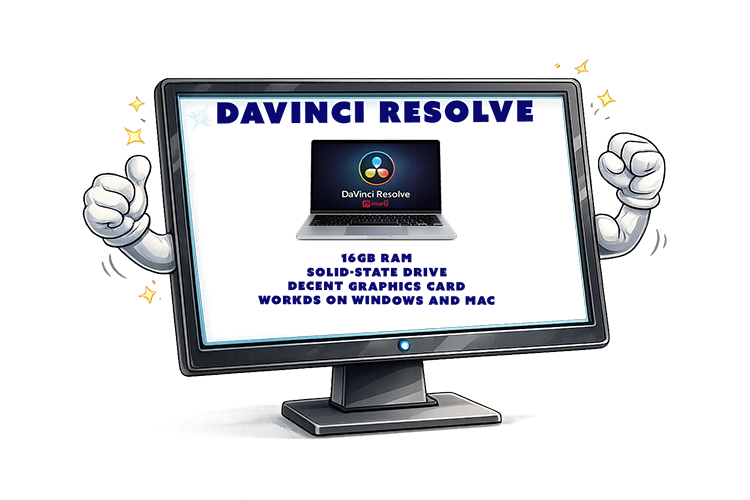
- At least 16GB RAM recommended for smooth editing
- A solid-state drive (SSD) helps.
- A decent graphics card improves performance.
- Works on Windows and Mac
If your computer struggles to play 4K video smoothly, it could struggle editing it.
Is DaVinci Resolve Really Free?
Great news, Davinci Resolve is free. You will not find any tricks or sneaky charges. In the free version, you get all the basics: diting, color correction, audio mixing, and plenty of effects. In the Studio version, you will find some fancy stuff. I am sure you will find the free version is more than enough.
Who Should Use DaVinci Resolve?
Best for:
✔ Drone hobbyists
✔ People serious about learning editing
✔ Anyone wanting professional-level control
✔ Those editing 4K footage
Not ideal for:
✘ Someone who just wants to trim vacation clips quickly
✘ Someone uncomfortable with new interfaces
✘ Very old computers
My Honest Recommendation
If you’re patient and curious, DaVinci Resolve can be an incredible tool.
If you want fast and simple, we’ll be covering easier options next in this series — including Clipchamp, Shotcut, OpenShot, CapCut, and Filmora.
📊 Not Sure Which Editor Is Right for You?
This review is part of my complete guide to Free Video Editing Software.
If you’d like to see all six programs compared side-by-side — including what’s truly free and what has limits — visit the full comparison guide here:
👉 Free Video Editing Software: Final Comparison and Safety Guide